


Free Shipping
9.30am - 7pm Customer Support
Free and Easy Returns +7 Days Change of Mind Policy
Microsoft Surface Book 2 15-Inch i7 16GB 512GB
9
MODEL:
In Stock
Device Grades:
Select Capacity:
Like New - Scratchless devices with no signs of use. Thoroughly cleaned and tested for functionality, like new devices look new and offer fantastic value compared to a brand new device.
COLOUR:
WARRANTY:Learn More
What's inside the box:

Power Adapter

Charging Cable
+25
Quantity:
A$899
A$1049
FREE SHIPPING
Dispatched within 24 hours.
+
-
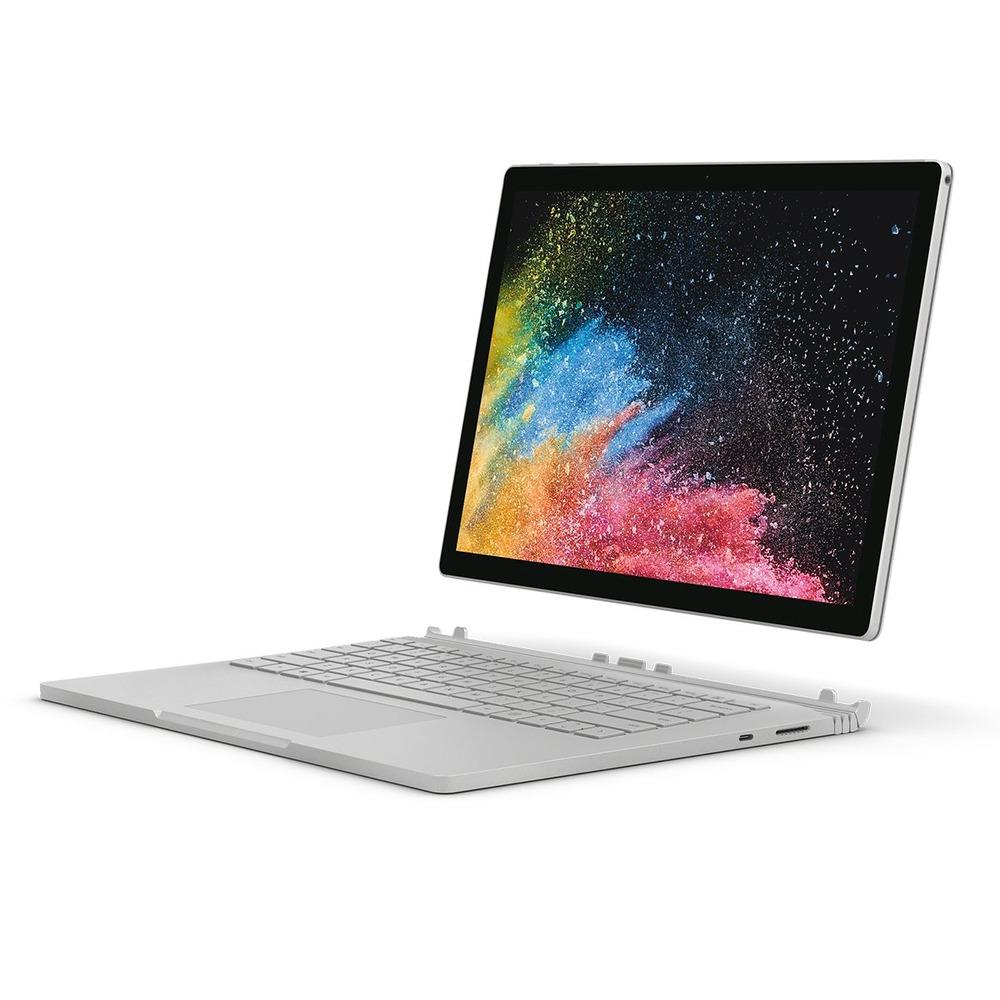
Microsoft Surface Book 2 15-Inch i7
Features:
SD card reader
USB 3.0
Rear-facing camera
Power button
Volume
Windows Hello with face sign-in
Front-facing camera
Headset jack
Detach key
Surface Connect
USB-C
Detach the display for four different modes
Surface Book is a versatile laptop, a powerful tablet, and a portable studio that adapts to the ways you work and create.
How to detach the display
Press and hold the Detach key until the light on the key turns green and you see the Ready to Detach message on the screen. Then pull the display off of the keyboard.
Now you can put Surface Book in any mode, depending on what you want to do.
Use Surface Book as a tablet
Surface Book is a tablet that you can take anywhere. Just press and hold the Detach key on the keyboard, remove the display, and you’re ready to go.
Watch movies and share photos in View Mode
View Mode is perfect for when you want to:
Binge watch your favorite show.
Share photos at a family gathering.
Present ideas to a few colleagues or classmates.
Follow a recipe you found online.
Play Xbox games with an Xbox wireless controller.
Sketch, write, and create naturally in Studio Mode
With Surface Book in View Mode, fold the display down so you have a horizontal surface to write on. Use touch or Surface Pen to draw or take notes, just like on paper. And if you want a truly immersive creative experience, add Surface Dial.
Use Surface Book as a laptop
Of course, Surface Book 2 is a powerful laptop—it runs professional-grade software with high-speed Intel processors, blazing NVIDIA graphics, lighting-fast storage, and delivers up to 17 hours of battery life, so you can get things done.
Write and draw naturally with Surface Pen
Surface Pen is the perfect accessory for Surface Book. Take notes in meetings or class, draw, and edit Word documents. Make a mistake? Flip it over and use the eraser. Surface Pen attaches magnetically to the side of your screen, so it’s ready whenever you are.
Sketch and draw
With precision ink, tilt for shading, and virtually no lag, Surface Pen is perfect for anyone, from graphic designers to avid doodlers. To try it out, click the top button on Surface Pen once to open Windows Ink Workspace, then select Sketchpad and start drawing. Surface Pen also works with professional graphics software too.
Edit Word documents
Use Surface Pen to edit and add comments to Word documents.
Transform into a desktop workstation with Surface Dock
Plug in the Surface Dock to charge your Surface Book and use two external 4K monitors, a keyboard, mouse, printer, and more.
+
Need help deciding?
Got a question? Need some help? For a quick and convenient way to get in touch, chat to us using your favorite messaging app!
Tap here to message using WhatsApp
Messenger
Tap here to message using FB Messenger
Call Us
Tap here to call us using your phone
Phonebot staff members are available to chat online, Monday - Friday: 9:00 AM - 8:00 PM,
Saturday & Sunday: 11:00 AM - 4:00 PM (Australian Eastern Standard Time)
A$899
A$1049
Qty